Bulk Indexing
Submit SEO URLs at scale
Real-time batch progress
Built for professional SEO teams
Index URLs faster. Track SEO smarter.
Submit URLs in bulk, monitor index status, and run your entire SEO workflow from one dashboard — no Google Search Console required.
Quick try
Paste any URL to try the demo interface — not sent to the live indexing system yet.
Submitting URLs...
Add batches of SEO URLs from one dashboard.
Queued
Your workflow is scheduled and tracked end-to-end.
Pending check
See per-URL results over time.
From batch submission to status tracking — every SEO operation in one control plane.
Submit thousands of URLs per batch with real-time job progress.
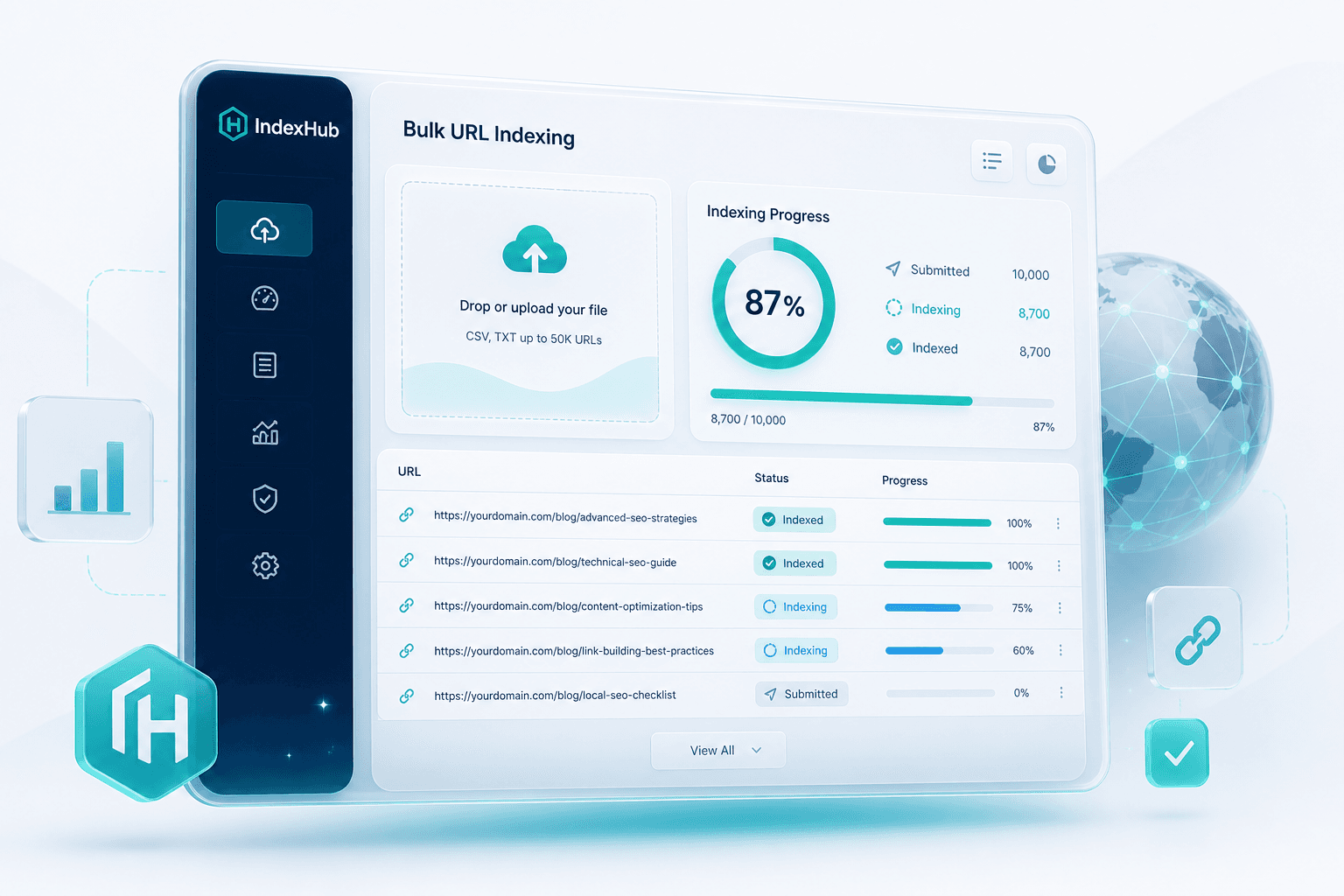
Filter, group, and track URLs by project or campaign.
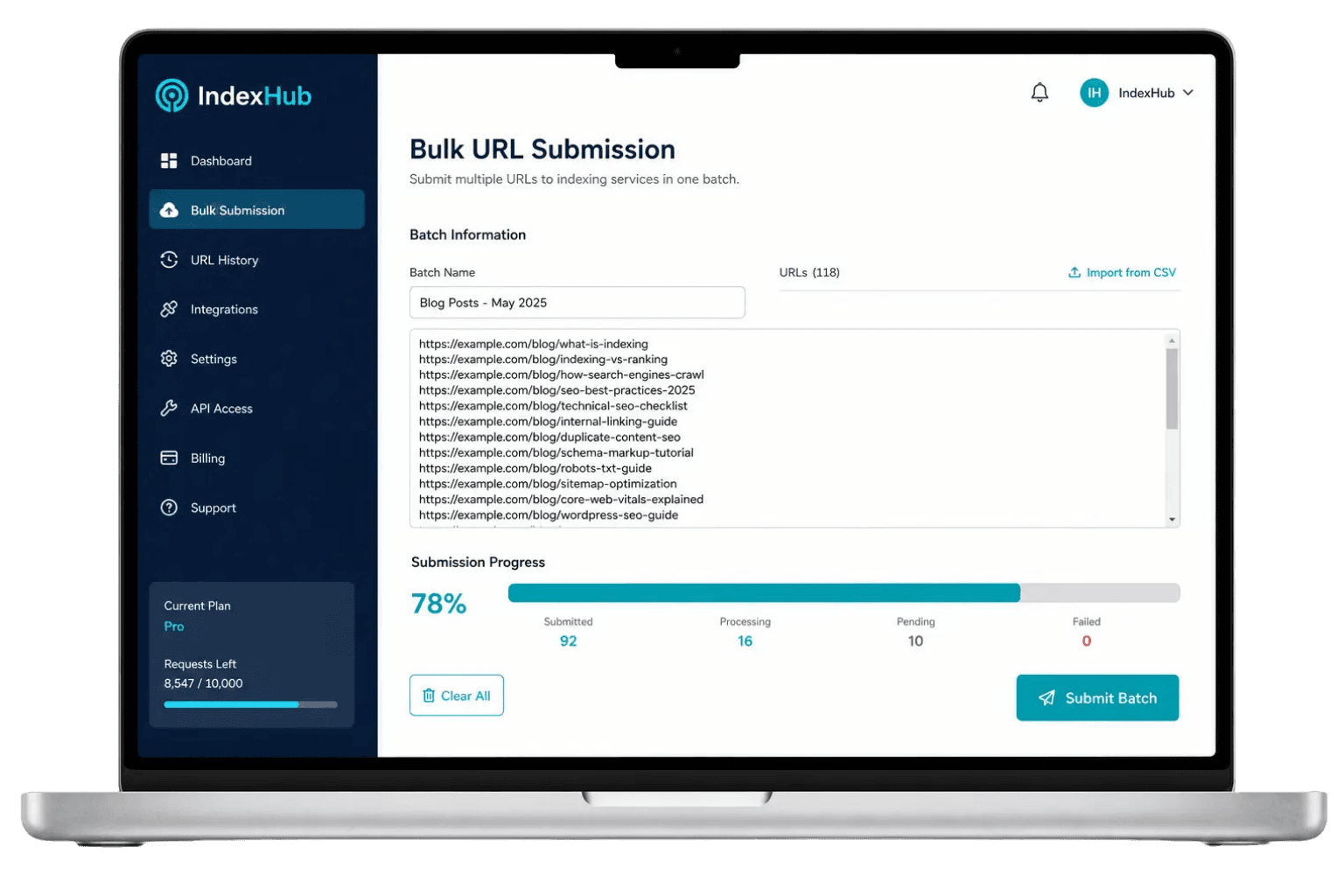
Indexed, Processing, Pending, Failed — per URL clarity.
Separate workspaces for teams and agency clients.
Automate submissions and sync status from your systems.
Batch metrics, credits usage, and index outcomes.
Paste thousands of URLs, name your batch, and track processing in real time — built for agencies and high-volume SEO operations.
1 credit = 1 link. Prices exclude taxes/fees. Choose the plan that fits your needs.
$0.005 / link · 5,000 credits
$0.0032 / link · 25,000 credits
$0.002 / link · 100,000 credits
$0.0017 / link · 200,000 credits
Prices exclude taxes and additional fees.
URL indexing is the step where Google adds a page to its search index. If a URL is not indexed, it has almost no chance to appear in organic results, even when the page is already published, linked, and technically live. For SEO teams, indexing is the operating layer before ranking work begins. IndexHub helps teams manage that layer with batch URL submission, status tracking, project-level workflows, and repeatable checks at scale. It is useful when manual Search Console checks become too slow for new content, migrations, landing pages, product URLs, or backlink placements. You can review pricing, explore dashboard features, or read the SEO blog. This guide explains what indexing means, why valid pages remain unindexed, how to prepare URLs, and how to use an indexing workflow without confusing INDEX with RANKING.
URL indexing is the process of Google adding a page to its search database. Once indexed, a page can be considered for relevant search results. Before that happens, the page is effectively invisible in organic search, no matter how strong the title tag or page copy looks in your CMS.
Indexing is a prerequisite for SEO performance, not the performance itself. A page still needs useful content, clean technical signals, relevance to the query, internal links, and authority before it can compete for meaningful positions. This is why index coverage should be treated as an operations metric: first confirm that eligible URLs are visible to Google, then judge whether those URLs earn impressions, clicks, and conversions.
After Googlebot discovers and fetches a URL, Google evaluates the content and decides whether the page belongs in the index. Pages with accidental noindex tags, heavy duplication, weak content, confusing canonical signals, or unstable responses may be crawled but excluded.
Crawling means Google visited the URL and read what it could fetch. Indexing means Google stored the page as a candidate for search results. A URL can be crawled and still not indexed; the Search Console status "Crawled - currently not indexed" is a common example.
Crawl, index, and ranking are three separate layers
| Concept | What it means | Does it guarantee ranking? |
|---|---|---|
| Crawl | Google discovers and fetches the URL | No |
| Index | The URL is added to Google's search index | No |
| Ranking | The URL is positioned for a specific query | No, it depends on many signals |
Indexing only means a URL can be evaluated for search. Ranking depends on query intent, topical depth, authority, links, site quality, page experience, and competition. A page can be indexed for months and still receive little traffic if it does not satisfy the searches it targets. Separating these concepts also makes reporting cleaner: "not indexed" is an eligibility problem, while "indexed but not performing" is a search demand, content, or authority problem.
Unindexed URLs are common after publishing new content, launching a new website, migrating URLs, or adding many landing pages at once. The cause is usually technical, structural, or quality related. Submitting the URL again can help only after the page is eligible to be indexed. A practical diagnosis starts by asking whether Google can access the page, whether Google is being told to index that exact URL, and whether the page is distinct enough to deserve a separate index entry.
New websites and new URLs often need time before Google discovers and prioritizes them. If the domain has limited authority, weak internal links, or no clear sitemap, discovery can take longer than the publishing team expects.
A meta robots noindex tag, X-Robots-Tag header, password wall, or robots.txt Disallow rule can prevent indexing. This often happens when staging rules, launch checklists, or CMS defaults are pushed into production by mistake.
A canonical tag that points to another URL tells Google which version should be treated as primary. If the canonical is wrong, Google may index the target URL instead of the page you submitted, or it may consolidate signals in a way that looks like non-indexing.
Pages with near-identical templates, parameter duplicates, filtered category URLs, or shallow copy are often excluded. Google may crawl them, decide they add little independent value, and keep the index focused on stronger canonical pages.
Orphan URLs are hard for crawlers to discover and trust. A sitemap can list the URL, but contextual links from relevant pages usually send a clearer signal about importance, relationship, and crawl path.
404 responses, soft 404 behavior, 5xx errors, timeouts, blocked assets, long redirect chains, or unstable hosting can keep Google from processing the page reliably. Fix the response before spending credits or time on repeated submissions. For large sites, export failed URLs by status code first; it is usually faster to solve one template or server rule than to investigate hundreds of URLs individually.
Good preparation makes an indexing workflow more useful. Submitting URLs with obvious technical blockers creates noise, burns credits, and leaves teams chasing Failed statuses that could have been filtered before submission. The cleanest batches usually come from a crawl or CMS export that has already been deduplicated, normalized to canonical HTTPS URLs, and filtered for pages that are intended to receive organic traffic.
A URL should return a stable 200 response. A simple 301 to the canonical destination can be acceptable, but redirect chains, redirect loops, soft 404 pages, and intermittent server errors should be fixed first.
Make sure robots.txt is not blocking important production paths. A single Disallow rule can exclude an entire folder of landing pages, product URLs, or blog posts from crawl discovery.
Review the meta robots tag and X-Robots-Tag header. If noindex remains on the page, Google will not index it even if the URL is submitted through Search Console or a separate workflow.
The canonical should point to the URL you want Google to treat as the main version. Wrong canonicals are especially common after migrations, cloned templates, faceted navigation, and multi-language launches.
Add contextual links from relevant hubs, categories, articles, or navigation elements. Internal links help Google understand where the page sits in the site and give users a path to reach it.
Include clean canonical URLs that return 200, are intended for indexing, and have sensible lastmod values. A sitemap helps discovery, but it is a hint. It does not force Google to index every listed URL. Avoid sending URLs that redirect, canonicalize elsewhere, require login, or represent low-value filters; those entries make the sitemap less useful as a source of truth.
Google Search Console (GSC) is the official place to inspect index coverage, diagnose exclusions, submit sitemaps, and request indexing for individual URLs. It is essential for understanding how Google sees your site, but it is not always efficient for high-volume operations. Agencies and in-house teams often use GSC for diagnosis and governance, then use a separate workflow to organize submission batches and status review.
URL Inspection shows whether Google has indexed a specific page, which canonical Google selected, when it was last crawled, and whether the page appears eligible for indexing. It works well for strategic URLs, debugging, and small batches.
The Page indexing report groups URLs by status and reason: crawled not indexed, discovered not indexed, blocked by robots.txt, alternate page with proper canonical, redirect, 404, and more. Use it as a site-level diagnostic map. If one reason contains hundreds of URLs, solve the pattern before resubmitting individual pages; repeated requests will not override a persistent exclusion cause.
Submitting a sitemap in GSC helps Google discover the URLs you want crawled. Keep the sitemap aligned with the live site. Remove noindex, redirected, duplicate, staging, and low-value URLs from the file.
If you need a fast baseline before sending a batch, run the index checker alongside GSC and compare results after processing.
A URL indexing service helps move pages into a repeatable workflow so Google can discover, crawl, and evaluate them sooner than if the team only waited for natural crawl. It is an operations layer, not a ranking switch. The value is not only speed; it is the ability to group URLs, see status, retry intentionally, and keep a record of what was submitted for each project.
Bulk submission is valuable when volume is real. That does not mean every URL in a sitemap deserves to be submitted. Prioritize URLs with search value, technical eligibility, unique content, and a clear reason to be in Google's index. For example, a refreshed service page, new article cluster, or migration batch is usually a stronger candidate than paginated filters, sort URLs, or internal search pages.
Statuses such as Indexed, Processing, Pending, and Failed help teams see what needs attention next. Transparent status is more useful than promises, because Google ultimately decides whether a URL belongs in the index.
Learn more about the URL indexing service and credit pricing.
Backlink indexing means checking and supporting the page that contains a backlink so Google can crawl and potentially index it. A link can exist on the web without Google having processed the source page.
The SEO value of a backlink usually depends on whether the source page is indexed and whether the link is crawlable. New guest posts, digital PR placements, partner pages, forum threads, and profile pages may take time before Google includes them in the index. Tracking this status helps link builders separate publisher follow-up from normal crawl delay, especially when a campaign has dozens of placements.
No. Indexing gives the link a chance to be recognized. Strength still depends on topical relevance, source authority, placement quality, anchor text, crawlability, and whether the link profile looks natural.
Fast indexing gives a URL an earlier opportunity to appear in search. It does not automatically push the page higher. INDEXING is not RANKING. The real benefit is earlier measurement: once the URL is indexed, you can watch impressions, queries, and click behavior to decide whether the page needs content work, stronger internal links, or broader authority signals.
Ranking depends on several groups of signals:
Indexing support layers do not replace complete SEO work
| Tool or signal | Helps discovery? | Guarantees indexing? | Guarantees ranking? |
|---|---|---|---|
| Sitemap | Yes | No | No |
| Internal link | Yes | No | No |
| Google Search Console | Tracks and can request | Not guaranteed | No |
| Indexing workflow | Supports processing workflow | Not guaranteed | No |
Clear on the difference between indexing and ranking? Submit a clean URL batch, review the URL indexing service, or run the index checker before you send URLs into a workflow.
IndexHub is built for teams that need indexing operations at scale, not just an occasional manual check for a few URLs each month. It fits teams that publish on a schedule, manage many client properties, launch campaigns with deadlines, or need a consistent way to prove which URLs were submitted and what happened after processing.
Freelancers can separate client projects, monitor status clearly, and avoid scattered spreadsheets when several campaigns publish at the same time.
Agencies can submit campaign batches, organize clients, standardize retry rules, and report status without logging in and out of many separate workflows.
Site owners can monitor important pages after publishing, fixing technical issues, or changing URLs, especially when organic visibility matters to revenue.
Editorial teams can add newly published articles to a workflow, then pair the submission with internal links, sitemap updates, and status checks.
Ecommerce teams can prioritize product, category, and collection URLs with search value instead of pushing an entire weak catalog into a queue. Seasonal collections, refreshed category copy, and high-margin product pages usually deserve attention before faceted URLs or thin product variants.
Developers can connect submission to publishing pipelines, CMS events, or internal tools when indexing needs to be automated. See dashboard and API features.
IndexHub focuses on the operational layer of URL indexing: organizing URLs by project, creating indexing jobs, tracking per-URL status, and managing credits by plan. The goal is visibility and repeatability, not an absolute promise that every URL will be indexed. A good workflow shows what was submitted, what is still processing, what succeeded, and what should return to technical or content review.
At larger volumes, split batches by project, template, section, or campaign date. Filter by status, retry only after diagnosis, and prioritize high-value URLs first. A site with 5,000 URLs rarely needs all 5,000 submitted at once. Smaller, named batches make it easier to find patterns: a failed product template, a blocked blog folder, or a migration group with incorrect canonicals.
The website still needs to be crawlable, indexable, useful, stable, internally linked, and technically clean. Correct canonicals, remove accidental noindex tags, keep servers responsive, and maintain clean sitemaps before expanding submission volume.
Explore auto-index if you need automation, or continue learning through the blog.
Have many URLs to monitor? Manage submissions, statuses, and credits from one dashboard. Read the FAQ or explore auto-index for automated publishing workflows.