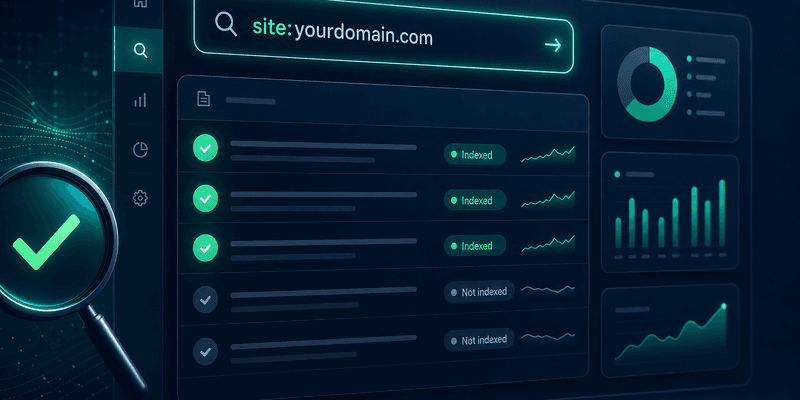
What Google Index means
Google Index is the database of pages Google has crawled and stored for search results. An indexed URL means Google knows the page exists and can rank it for relevant queries.
The basic flow:
- Discovery — Google finds URLs via sitemap, internal links, backlinks, or submission.
- Crawl — Googlebot visits and reads the page.
- Index — Google evaluates and adds the page to the index if it meets minimum quality thresholds.
Note: A successful crawl does not mean indexed. URLs can show Discovered – currently not indexed or Crawled – currently not indexed.
Why URLs are not indexed yet
Common reasons include:
- New pages — the domain or URL lacks enough crawl signals.
- noindex — meta robots tag or HTTP header blocking indexing.
- Thin or duplicate content — low value or near-duplicate pages.
- Weak internal linking — orphan URLs with no internal links pointing to them.
- Missing or broken sitemap — Google discovers URLs slowly.
- Robots.txt blocks — Googlebot cannot crawl the path.
- Server errors — 5xx, timeouts, or redirect loops.
If you manage hundreds of SEO URLs, manual checks do not scale. Many teams use an index checker or bulk URL indexing.
Methods to check if a URL is indexed
1. The site: operator on Google
Search:
site:example.com/your-page-path
If the URL appears in results, it is indexed (or at least Google knows and displays it).
Pros: Fast, no tools required.
Cons: Not 100% accurate for every URL; hard to run at scale.
2. Google Search Console — URL Inspection
- Log in to Search Console.
- Paste the URL into Inspect any URL.
- Read the status: URL is on Google, URL is not on Google, or intermediate states.
This is the most authoritative way to confirm index status for a single URL.
3. Cache check
cache:example.com/your-page-path
If a cached version exists, Google has crawled the page at least once. However, cache presence does not always equal index status.
4. Bulk checks with IndexHub
For large URL lists, use IndexHub Check Index to upload batches and track status over time — ideal for agencies and sites with many landing pages.
| Method | Speed | Accuracy | Bulk |
|---|---|---|---|
| site: | Fast | Medium | No |
| Search Console | Medium | High | Limited |
| cache: | Fast | Low–Medium | No |
| IndexHub | Fast | High | Yes |
What to do when a URL is not indexed
- Verify it is not blocked — check robots.txt, meta robots, and canonical tags.
- Improve internal links — link from high-authority pages to the target URL.
- Update the sitemap — ensure the URL is listed and the sitemap is submitted.
- Submit the URL to Google — via Search Console or URL indexing service.
- Recheck after 3–14 days — indexing is rarely instant.
Read more: What to do when a URL is not indexed and How long does Google indexing take?.
How IndexHub checks index status
IndexHub combines multiple signals to estimate index status:
- site: and cache queries per URL
- Submit history tracking on the dashboard
- Batch processing with credits for large SEO campaigns
- Status reports: indexed, not indexed, unknown
Start with the homepage URL checker demo or log in to run real batches.
FAQ
See the FAQ below for details on indexing timelines, bulk checks, and API usage.
